

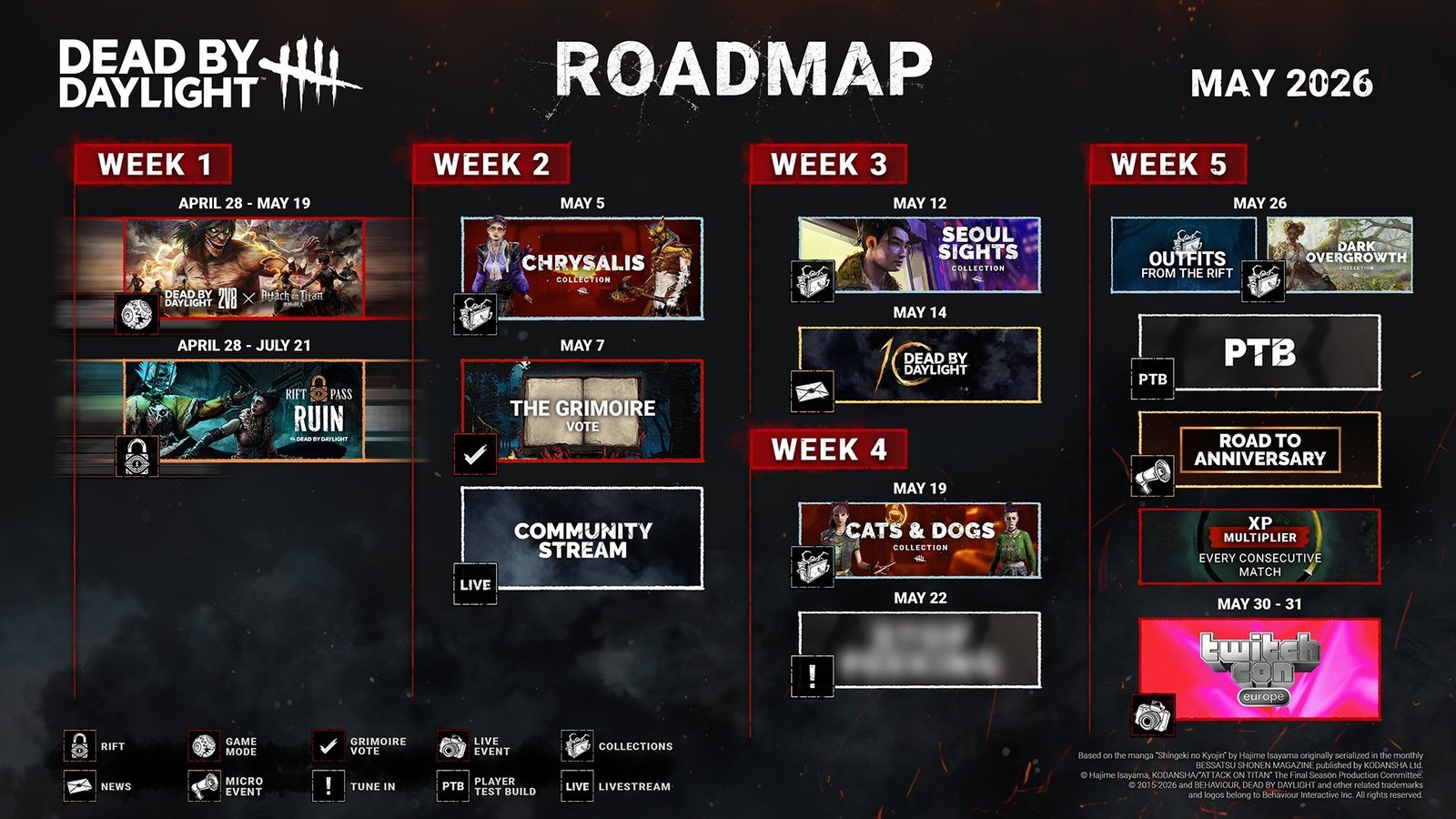
The next Dead by Daylight Public Test Build (PTB) is officially scheduled for May 26, 2026, marking the arrival of the highly anticipated “Chorus of Sin” chapter. Players on Steam can access the test server starting at 8am PT / 11am ET / 4pm GMT to preview upcoming content before the full game update, which is projected to launch around June 16, 2026.

Understanding the PTB Schedule
While community leaks are frequent, it is essential to distinguish between speculation and verified developer information. The upcoming PTB is expected to run for approximately one week. This testing phase follows the recent mid-chapter update, signaling that the focus has shifted entirely to the next major Chapter release. “Chorus of Sin” is particularly significant as it was shaped directly by player votes during the Grimoire program, targeting an early Summer launch.
When to Expect the Full Update
Dead by Daylight updates typically deploy three weeks after the conclusion of a PTB. With the PTB announced for late May, the projected release date for the full “Chorus of Sin” content is Tuesday, June 16, 2026. This timeline aligns perfectly with the developer’s goal for a Summer rollout, keeping the game’s content cadence consistent with previous seasonal releases.
How to Access the PTB on Steam
Participation in the PTB is restricted to Steam users; console players currently do not have access to these test builds. To join the testing phase, follow these steps:
- Open your Steam Library.
- Right-click on Dead by Daylight and select “Properties.”
- Navigate to the “Betas” tab.
- Select the PTB branch from the dropdown menu.
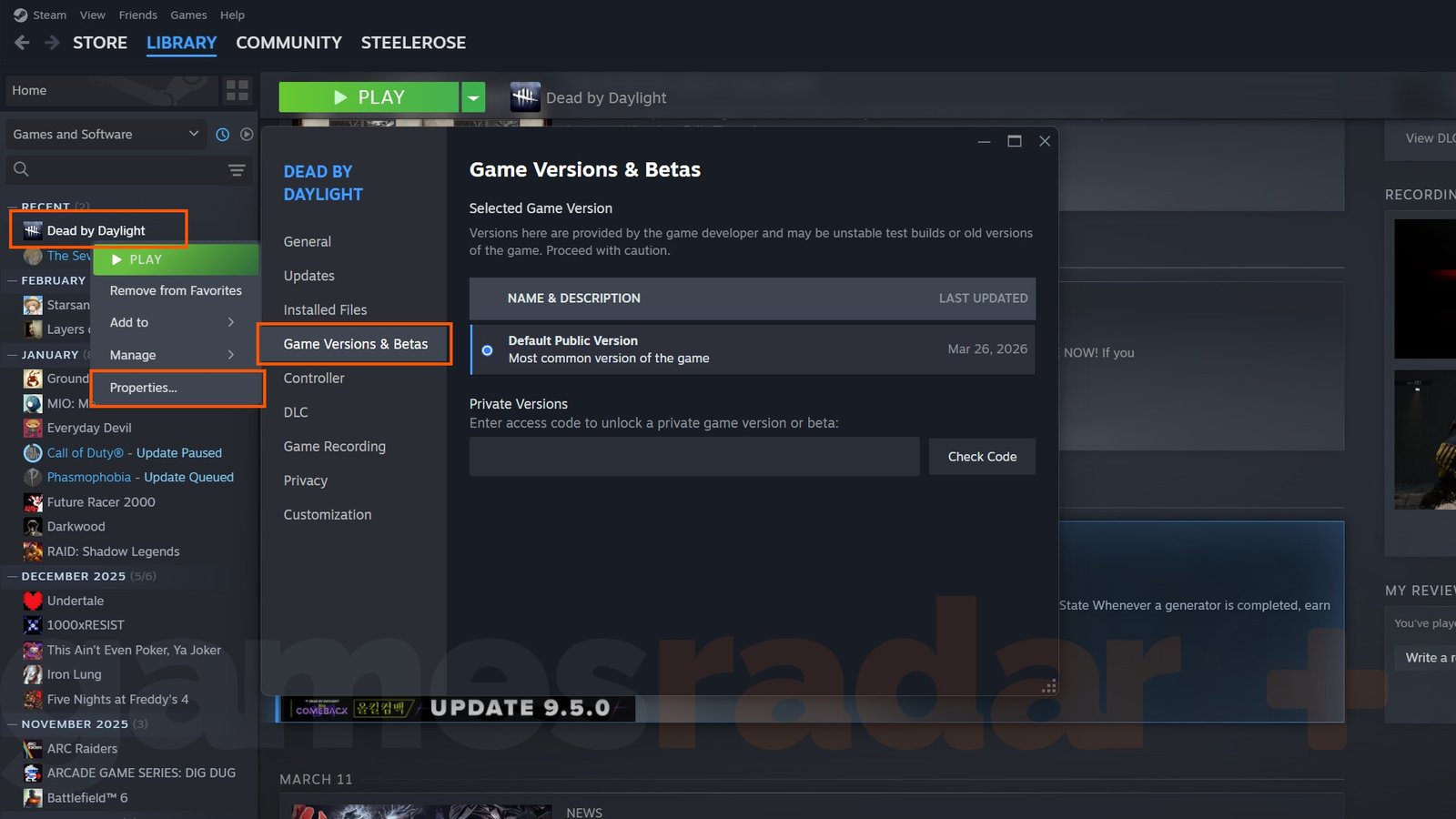
Once the PTB session concludes, players must revert their game settings to return to the live servers. To do this, repeat the steps above and select “Default Public Version” from the dropdown list. This will trigger a game update, restoring your client to the standard version of Dead by Daylight.
For players looking to maximize their experience, ensure you are tracking the latest Blood Moon event details and redeeming active DBD codes to claim free Bloodpoints and cosmetic items before the new chapter arrives.